
Person A (you)
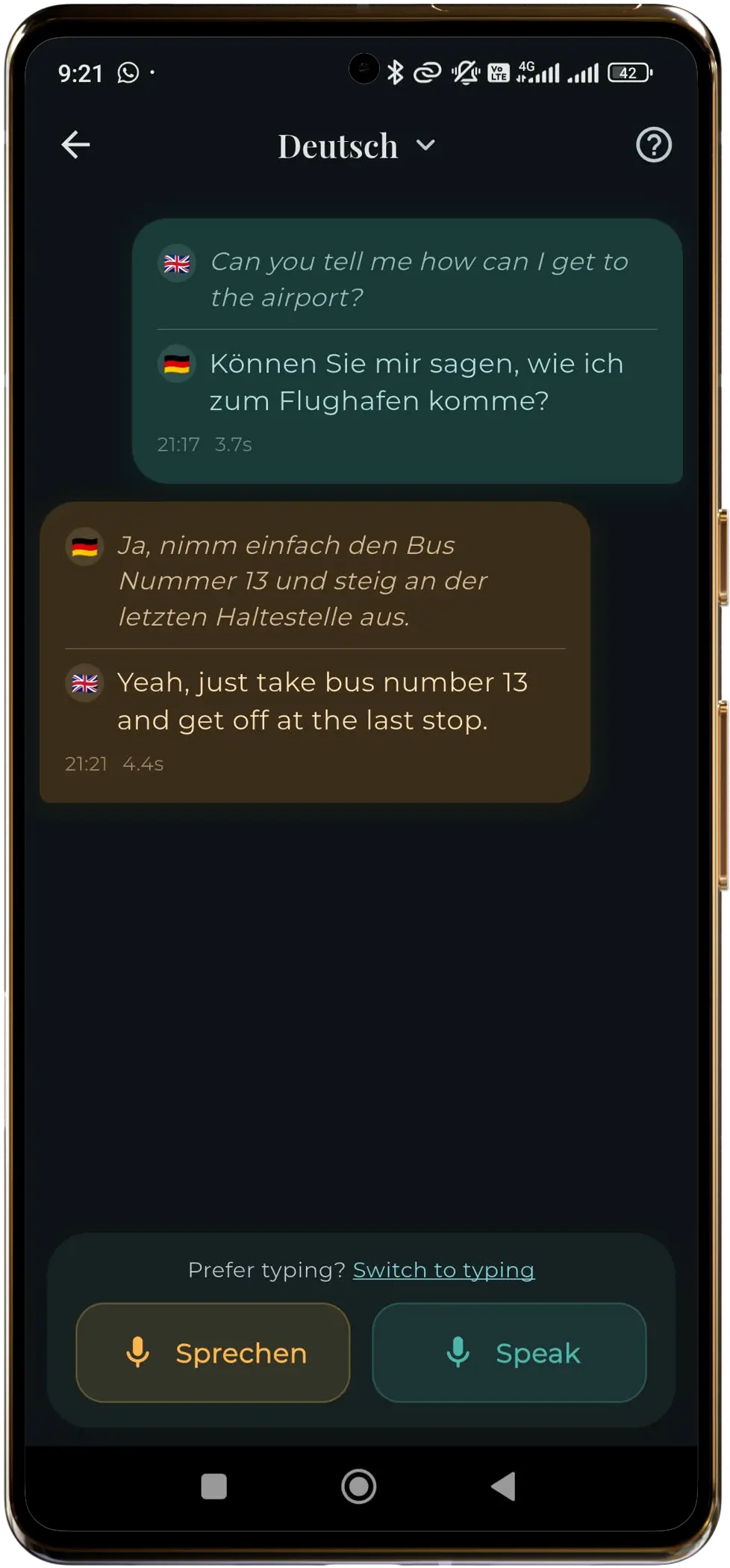
- Press the "Speak" button on your side.
- Speak clearly in your language.
- Press "End" when you're done.
- The translation will appear on screen.
Putnik helps you communicate while traveling abroad. It uses AI to translate between 21 languages and works completely offline, no internet required.
Offline translator · On-device privacy · One-time model download
Everything runs on your phone after setup—no accounts, no servers reading your chats.
After a one-time download, translate with no internet connection. Built for airports, roaming, and spotty Wi‑Fi.
Carry natural conversations across major world languages—powered by on-device AI (NLLB-200), not cloud APIs.
Use your voice with on-device speech recognition, or switch to typing whenever you prefer.
Two-sided conversations: you and your partner each have a side of the screen—perfect for travel and quick exchanges.
Putnik works fully offline, without an internet connection. First, the app downloads AI models for translation and speech. These downloads are large (on the order of ~2 GB total) but you only do this once—we recommend Wi‑Fi.
Twenty-one locales you can use as source or target in the app.
Speak clearly and wait for the translation before continuing.
Available on Google Play. Install, download models on Wi‑Fi, then go fully offline.